DAW Plugin
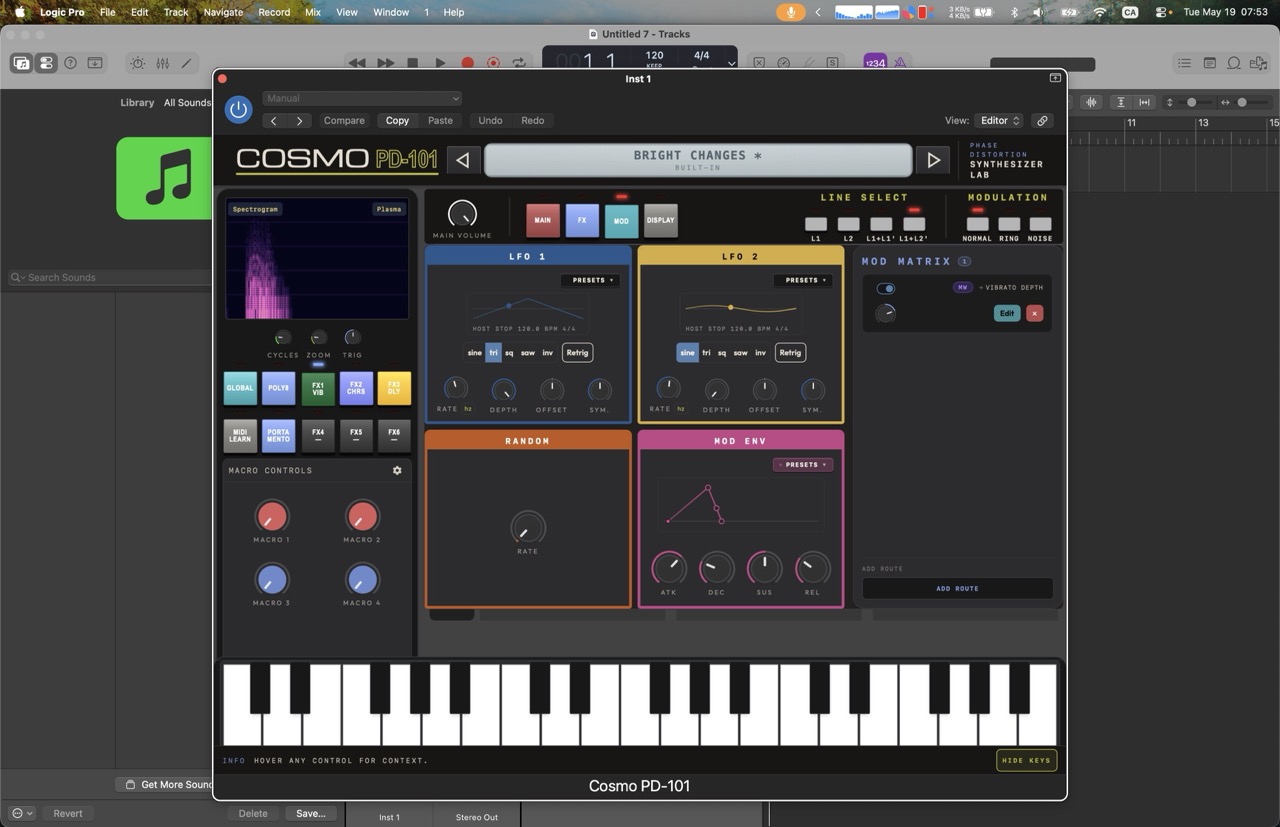
The Cosmo PD-101 Plugin runs as a VST3, CLAP, or AUv2 plugin inside your DAW. It uses the native Rust synth engine via the truce framework and an embedded webview for the UI.
Supported Formats
| Format | Platform | DAW Compatibility |
|---|---|---|
| VST3 | Windows, macOS | Ableton Live, FL Studio, Bitwig, Reaper, Cubase, etc. |
| CLAP | Windows, macOS, Linux | Bitwig 5+, Waveform 12+, Reaper 7+ |
| AUv2 | macOS only | Logic Pro, Ableton Live (macOS), MainStage |
Installation
WARNING
Plugin builds are currently unsigned, so macOS may block the plugin from loading. To bypass Gatekeeper:
- Open System Settings → Privacy & Security.
- Scroll to the Security section and ensure App Store and identified developers is selected.
- Open Terminal and run:
Enter your password when prompted.
Replace ~/Library/Audio/Plug-Ins/ with the actual installation path if you installed the plugins elsewhere. You only need to run the command for the formats you use.
Download
Download the latest plugin package from the Purr Audio store or clone the repo and build from source.
Install
Copy the plugin file to your DAW's plugin directory.
Rescan
Rescan your DAW's plugin list to discover the Cosmo PD-101.
Using the Plugin
- Create a MIDI track in your DAW.
- Insert Cosmo PD-101 as an instrument plugin.
- Arm the track for MIDI input.
- Play!
Presets in the Plugin
- Factory presets are pre-loaded.
- User presets are saved via the preset browser and stored in the DAW's plugin data directory.
Previous: Web App | Next: Synth Overview
ON THIS PAGE